
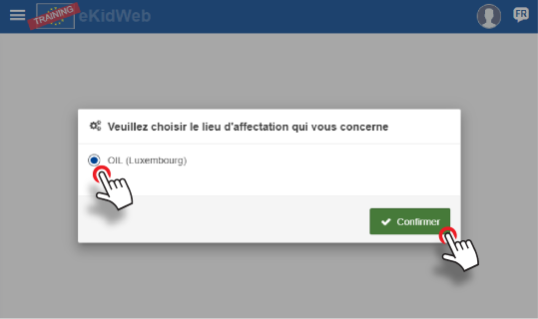
1. Choose your site
2. Click on "start here"
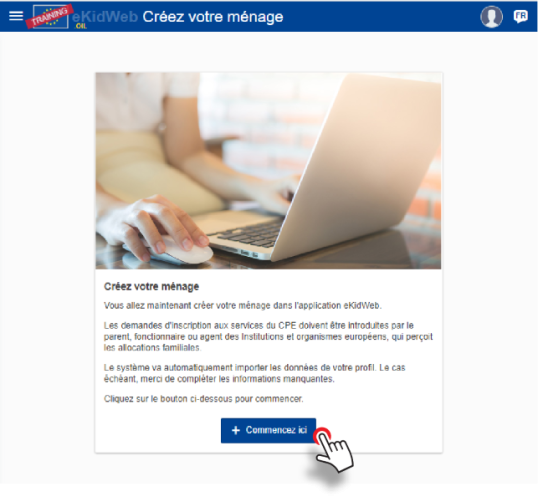
3. Create your household
- If the paying parent data is imported by default, verify the encoded information. Otherwise, encode the data
- Complete required contact data fields (*)
- Click on "confirm"

4. Create the 2nd household member
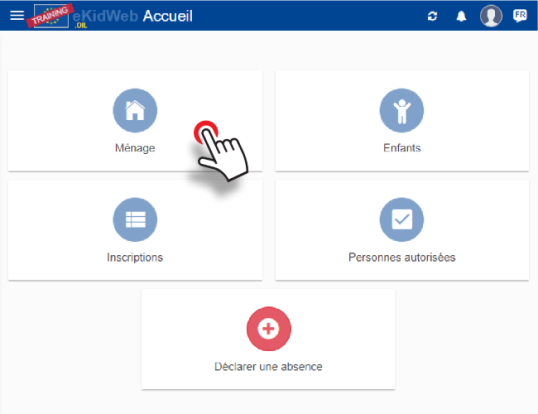
From the home page, click on "Household"
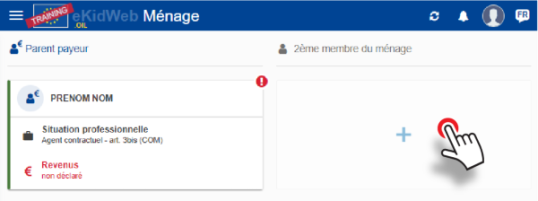
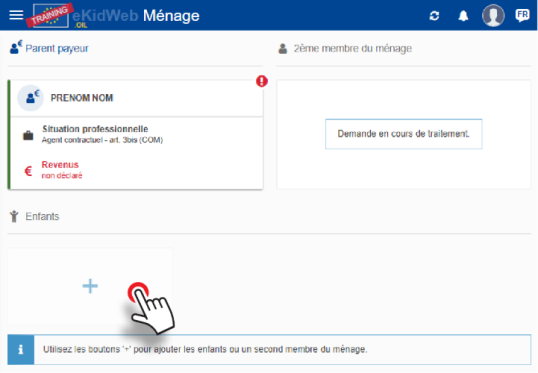
- Click "+" to encode the 2nd member
- Select default proposed member or encode if necessary and confirm
Complete contact data (*)
⚠️ You cannot enter your professional situation or income at this stage. This information will be updated by our financial service based on the supporting documents added at the "Enrolment" step.
- Click on "confirm"
- Request being processed (to be validated by the CPE Administration)
5. Add a child
- Click "+" to encode a child
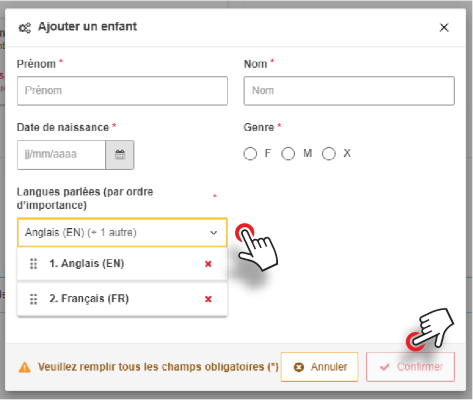
- If the child's data is imported by default, check the encoded information. Otherwise, enter the data.
- If another child needs to be entered, repeat the same operation.
- Choose the language(s) spoken
- Click on "confirm"
After adding a child, the application will ask you to define their legal guardians.
The household encoding procedure is now complete, please start the registration procedure.
▶ Next step : CPE Enrolment